
Orders with Custom GPS Coordinates
Orders with Custom GPS Coordinates for Pickup and/or Delivery Address
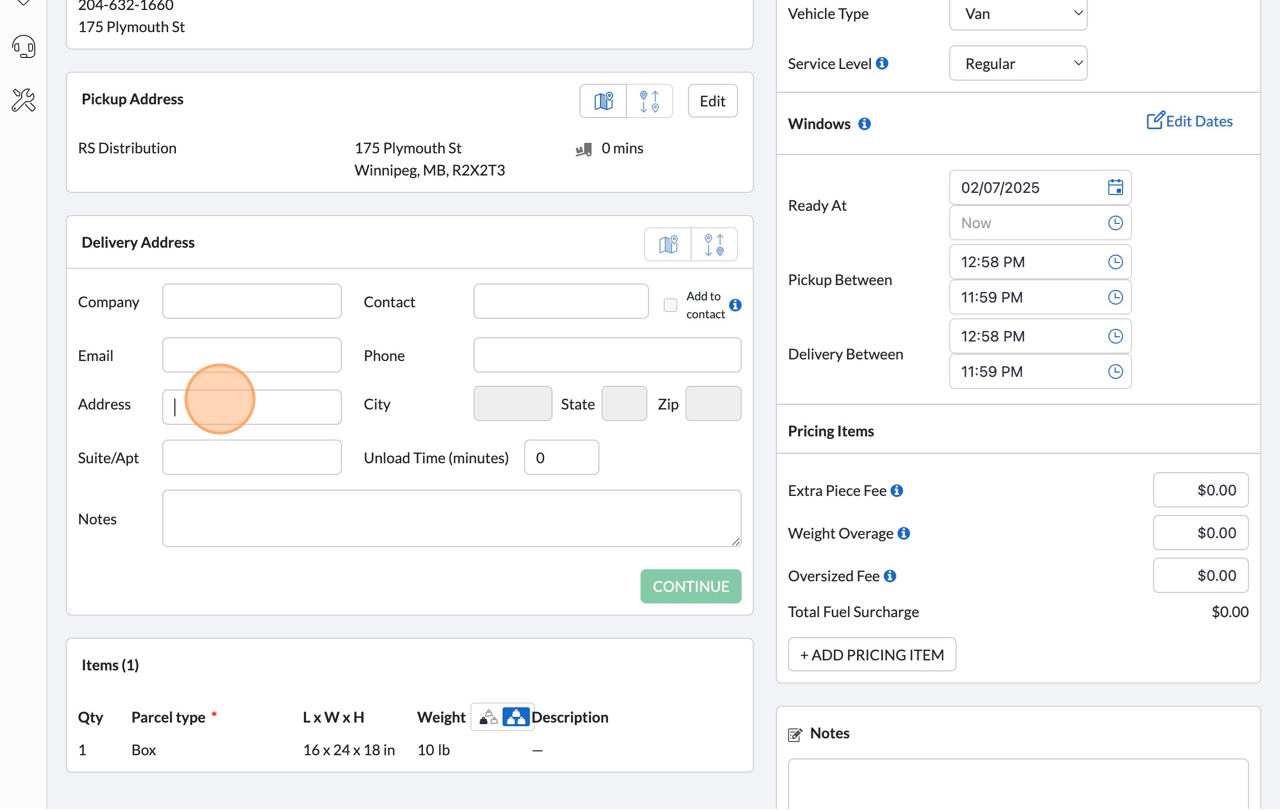
1. Click into the address field
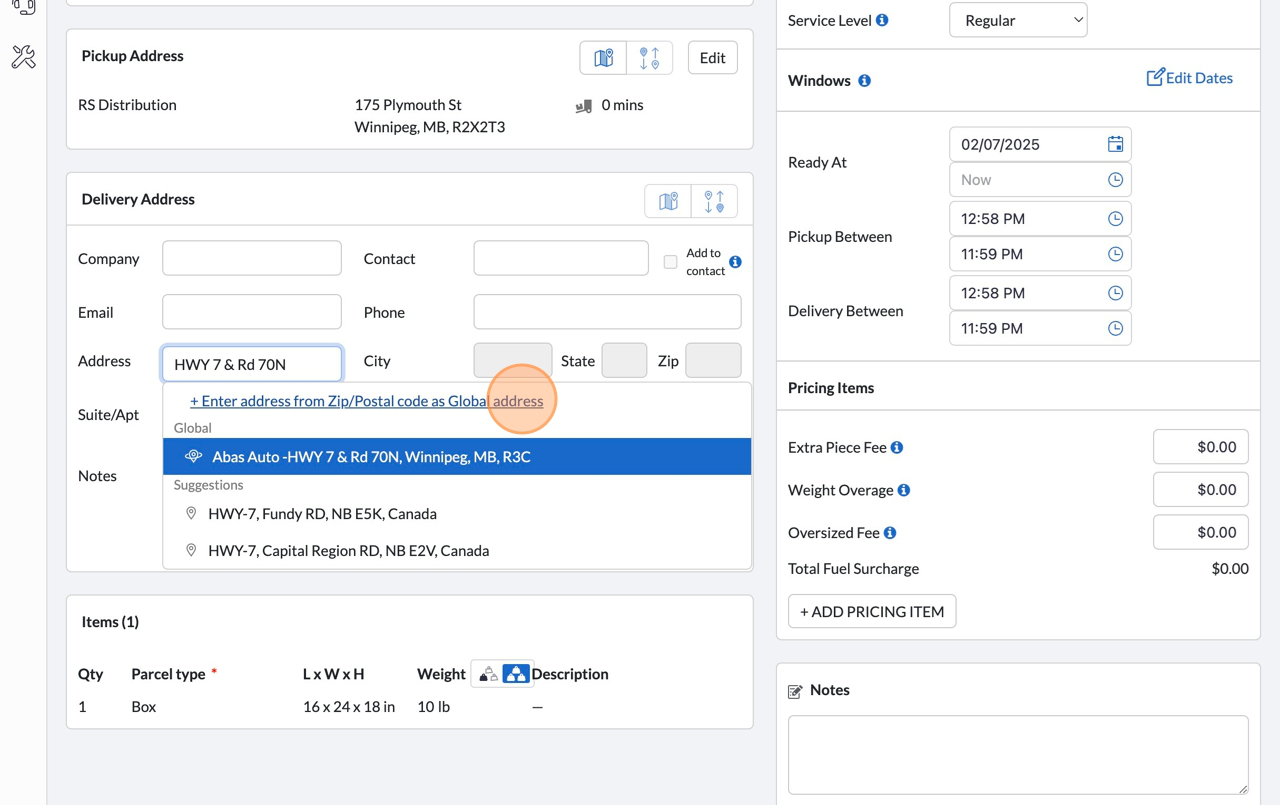
2. Start typing the address
3. Click “+ Enter address from Zip/Postal code as Global address”
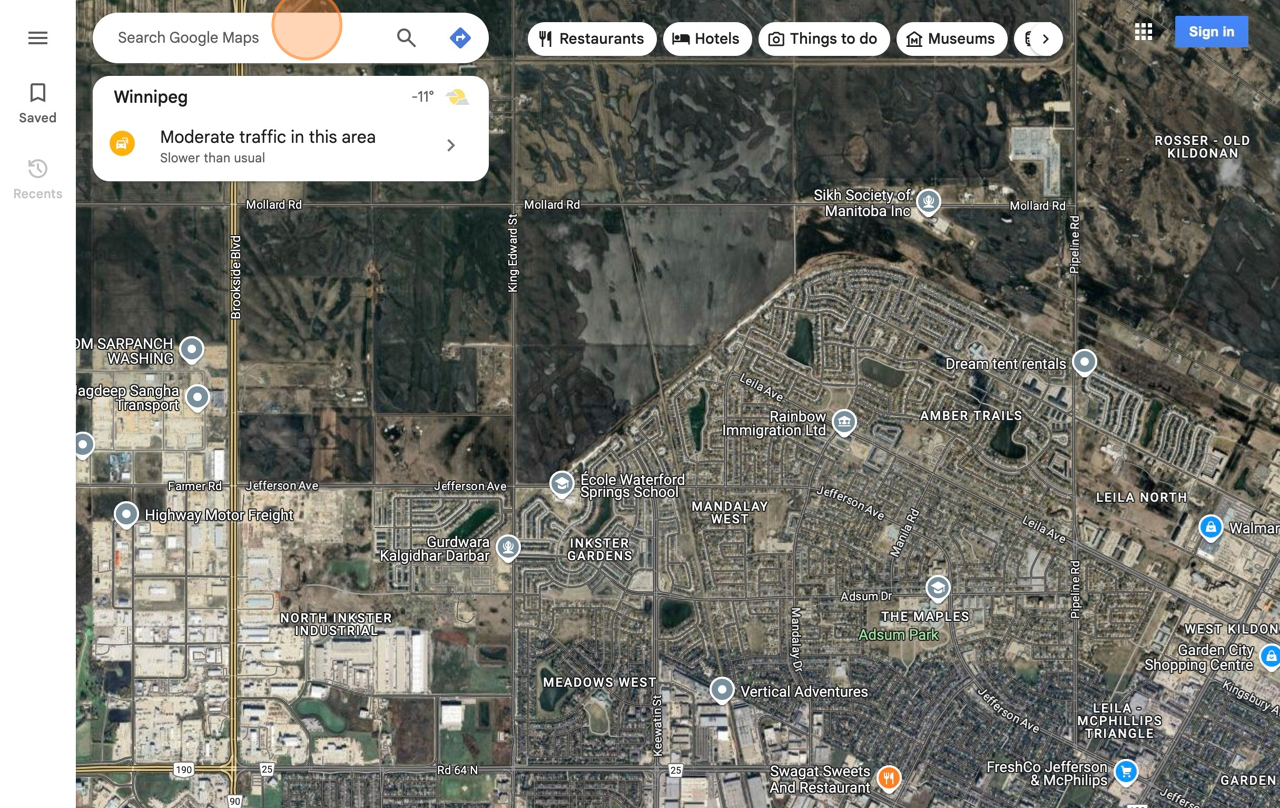
4. In a new tab, navigate to https://www.google.com/maps
5.Click the “Search Google Maps” field.
6. Search for company or address and select desired location
7. Note the postal code for your desired location
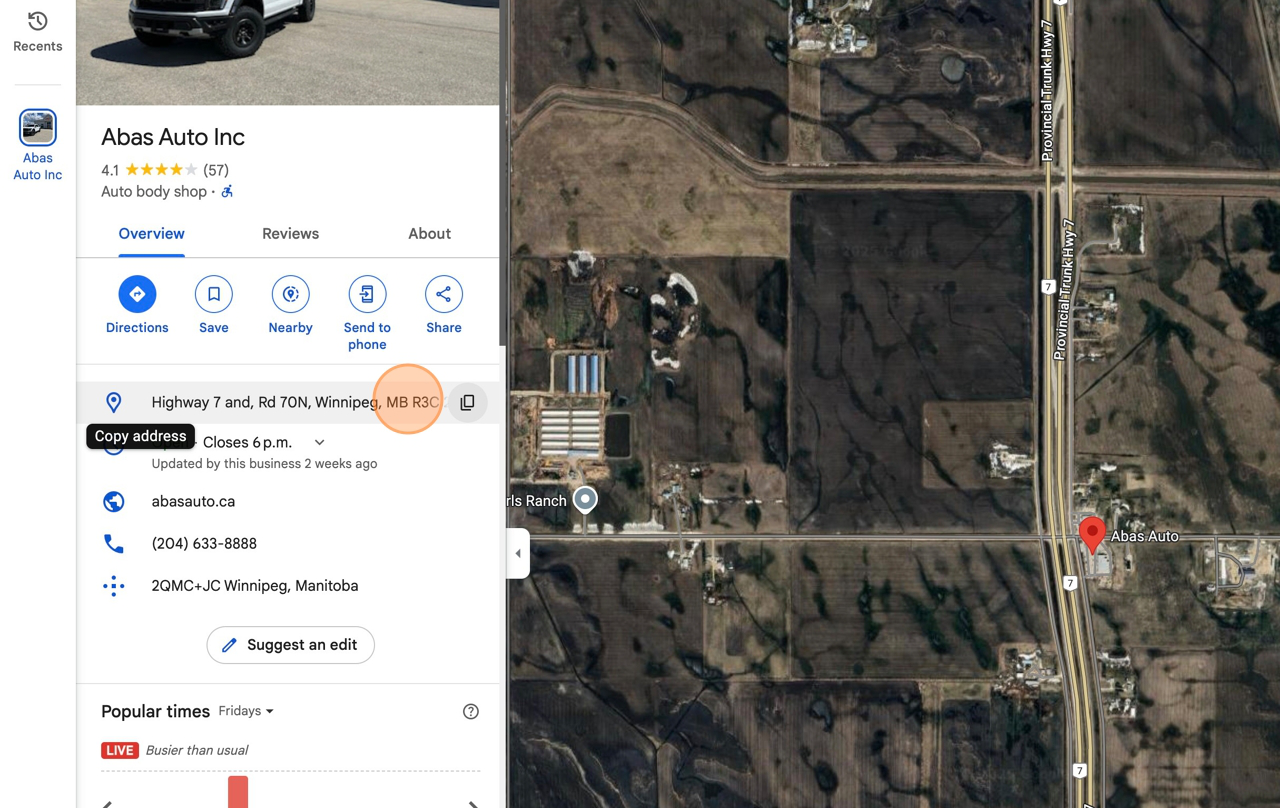
8. Switch to tab New Order – Dispatch Science”
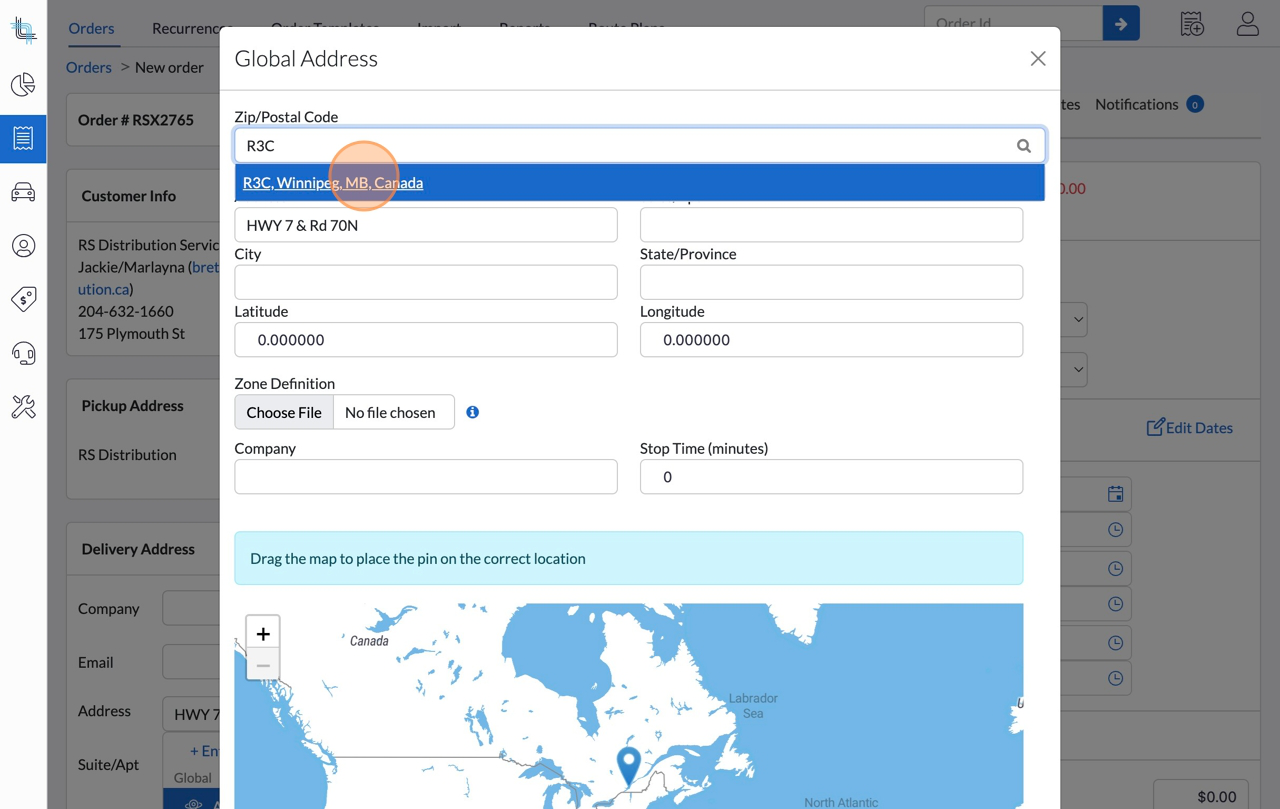
9. Enter the postal code noted from step 8
10. Click the corresponding option that matches the postal code
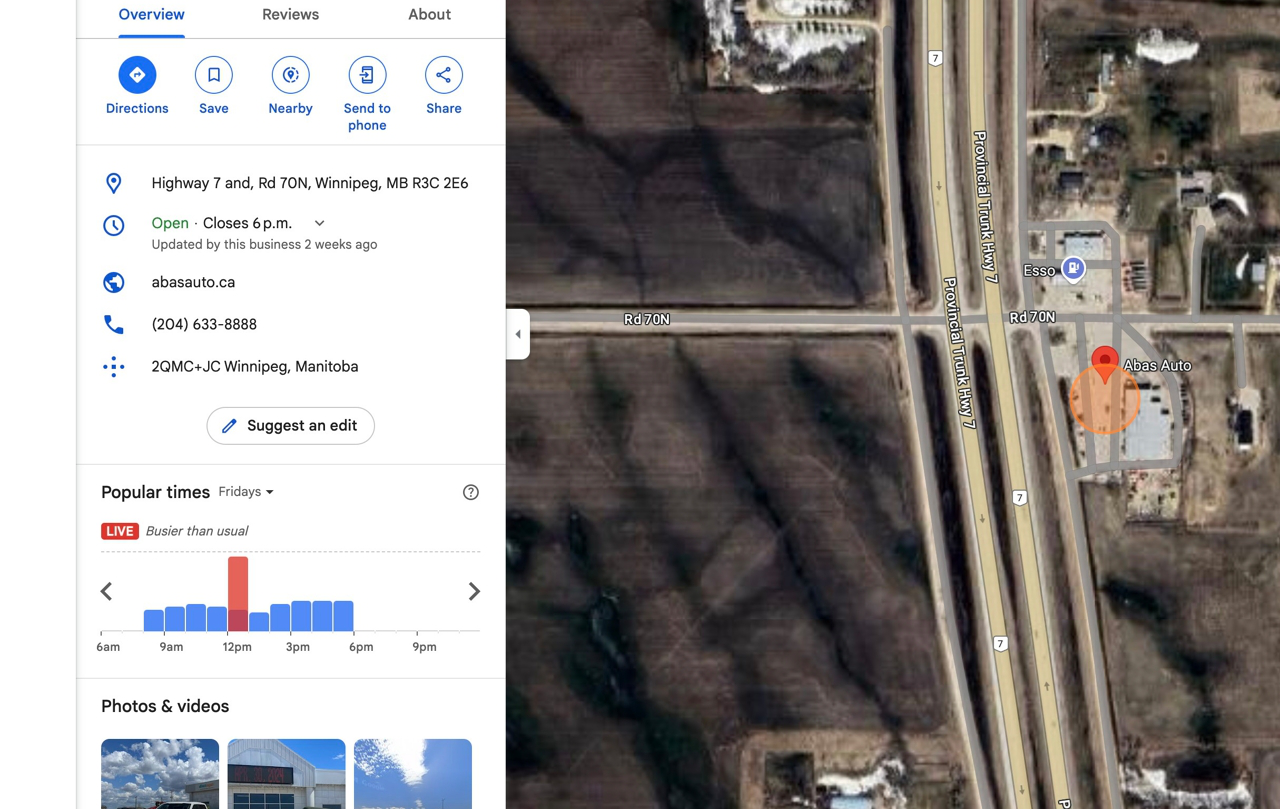
11. On the Google Maps tab, Right-click here on the building at the desired address
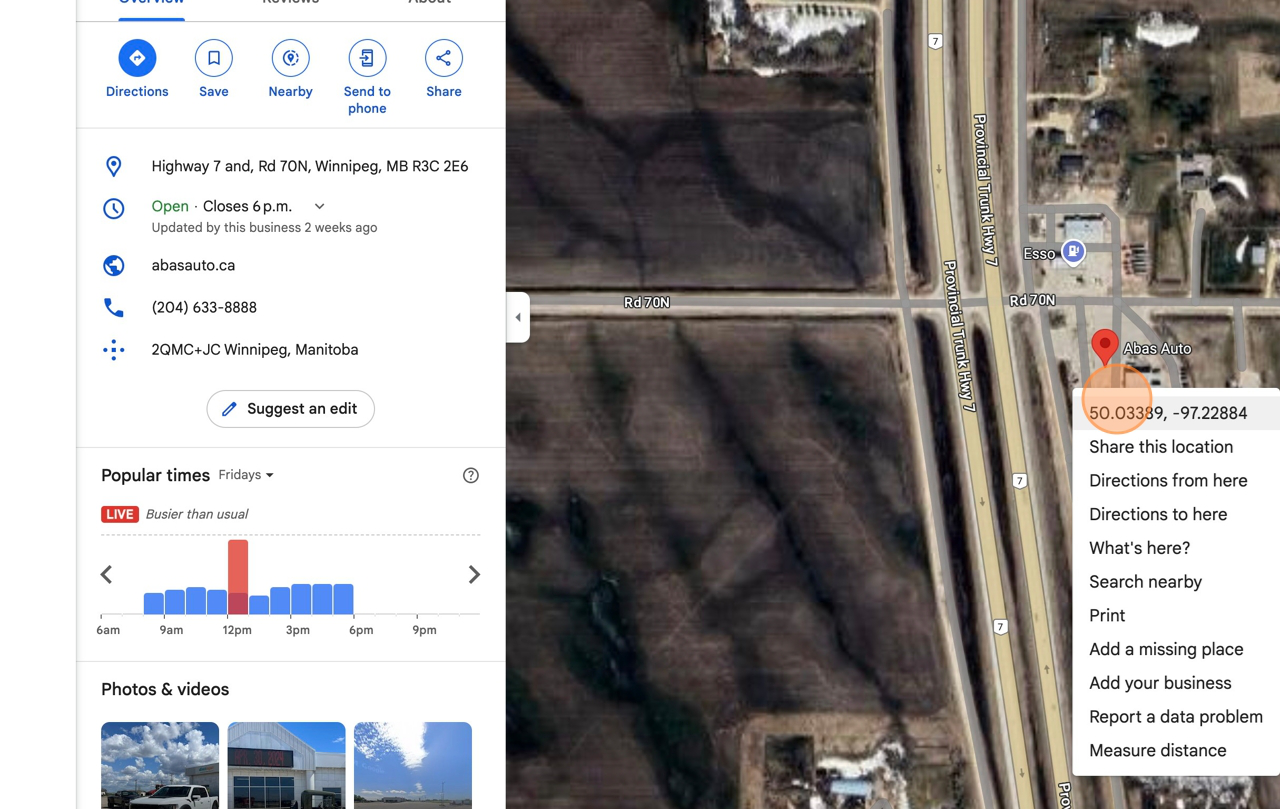
12. Left click on the GPS coordinates shown in the menu
13. Right Click this field, and “Select All” text
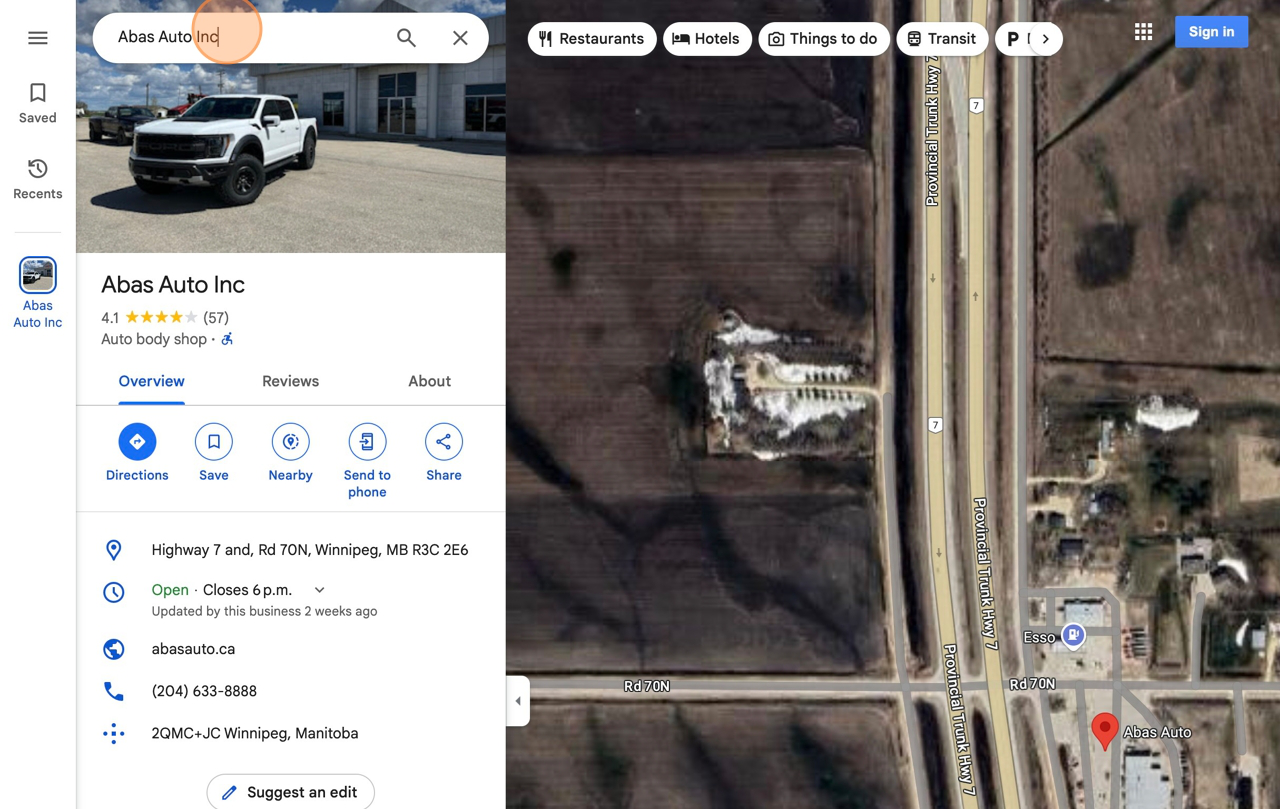
14. Right-click, select paste
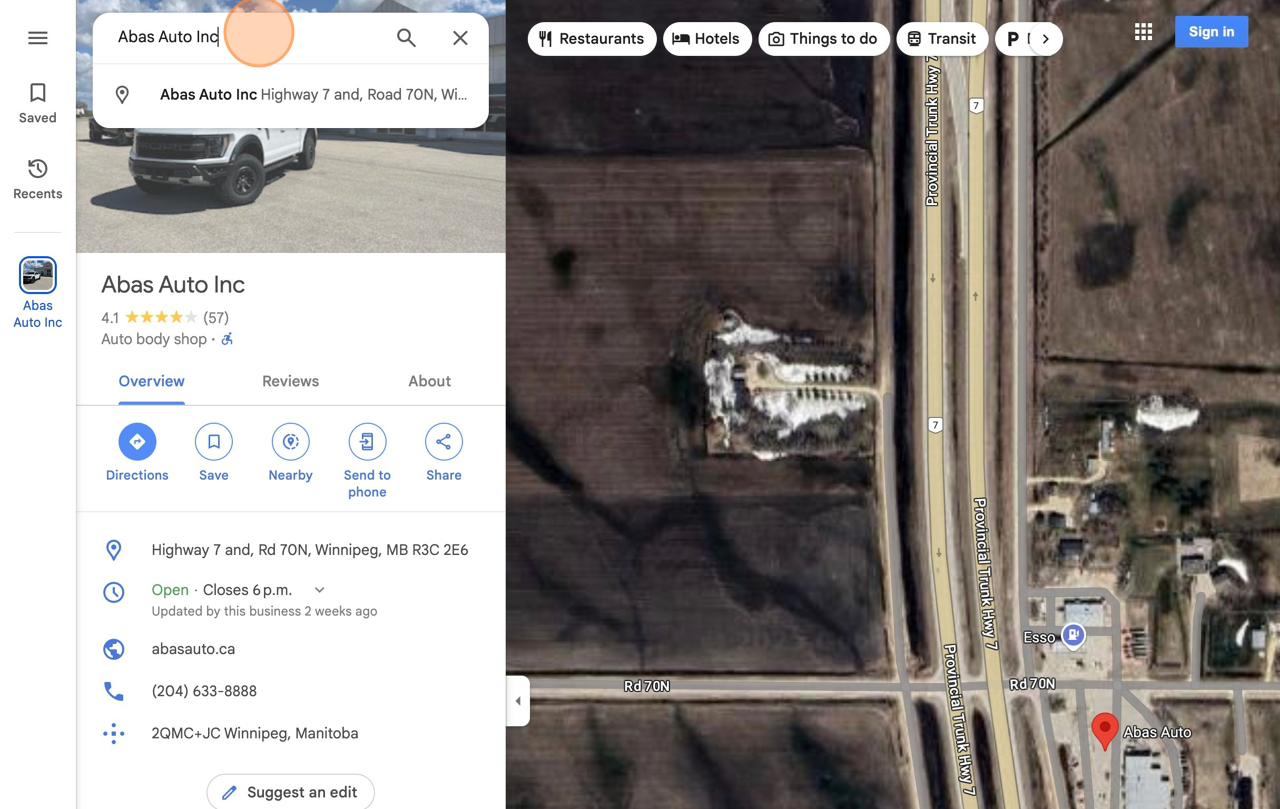
15. Click this field, copy all values to the left of the comma
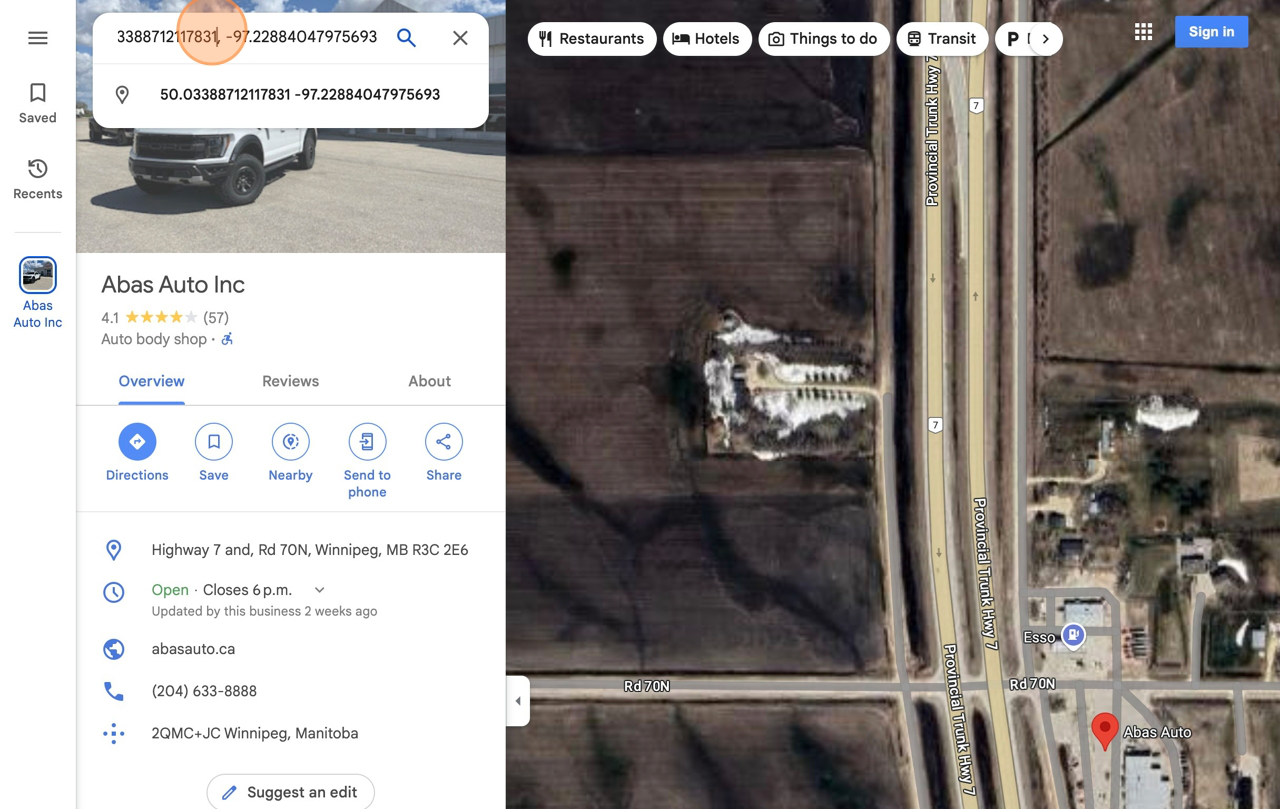
16. Switch back to tab “New Order – Dispatch Science”
17. Click the Latitude field, highlight all values
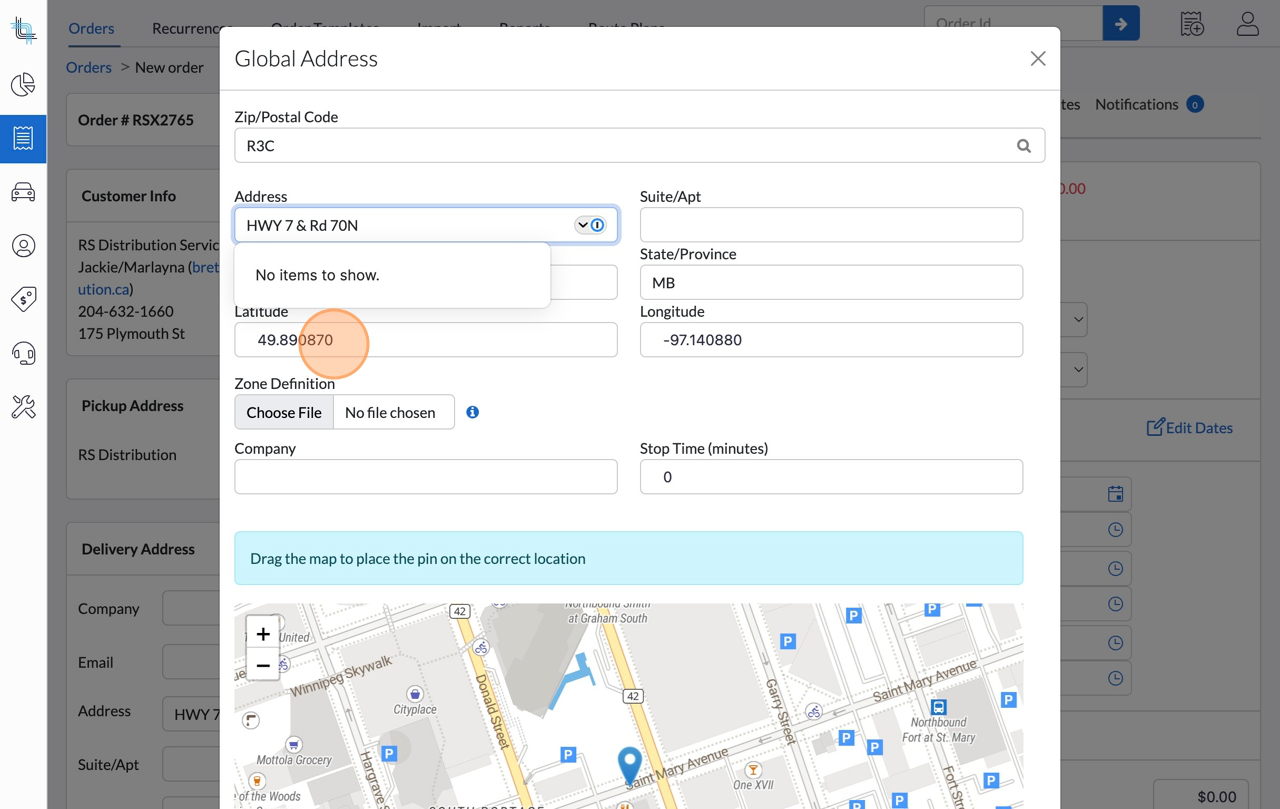
18. Right-click, select paste
19. Switch back to “Google Maps” tab
20. Click this field, copy all text to the right of the comma
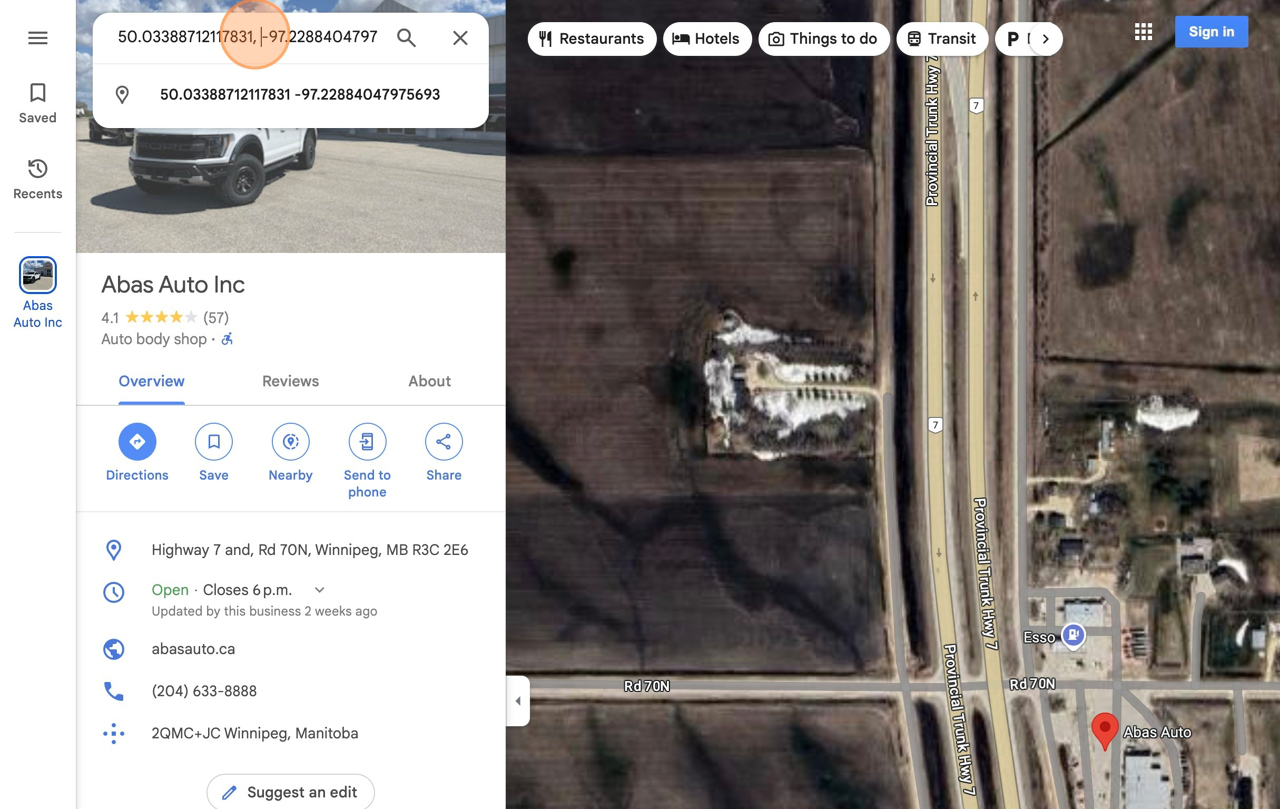
21. Switch back to tab “New Order – Dispatch Science”
22. Click the Longitude field, highlight all values
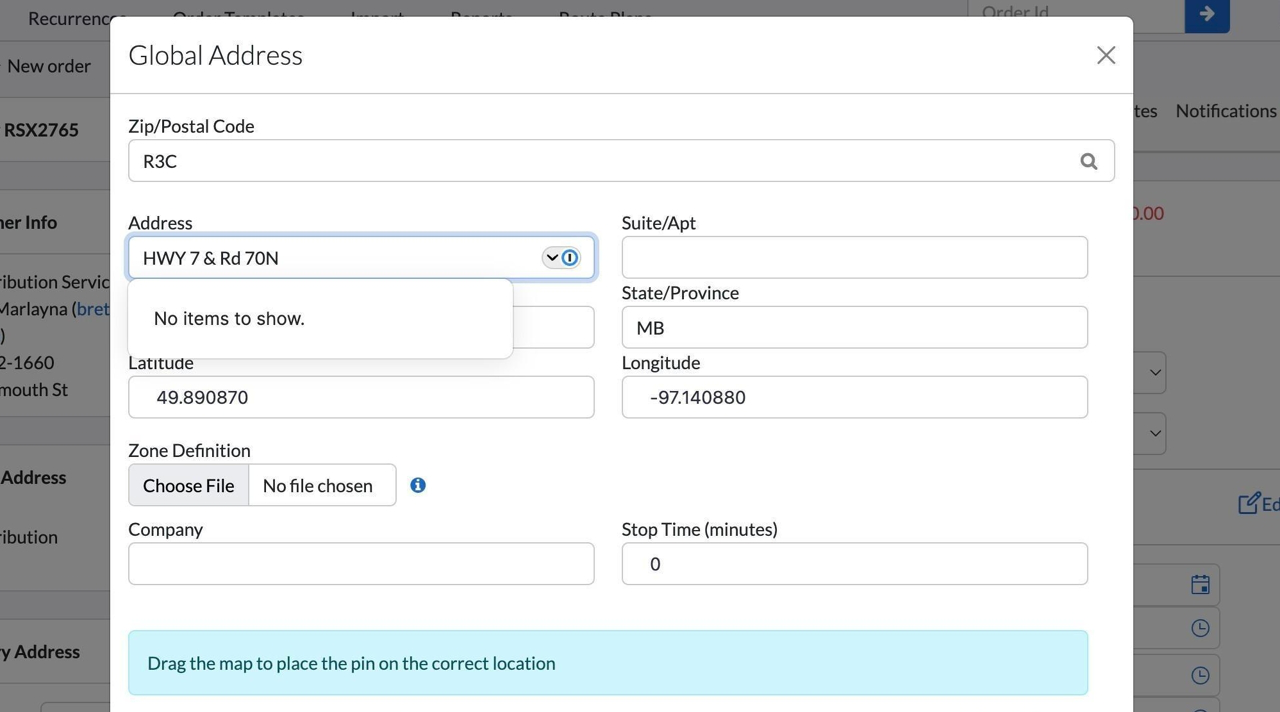
23. Right-click, select paste
24. Click the “Company” field, enter company name if applicable
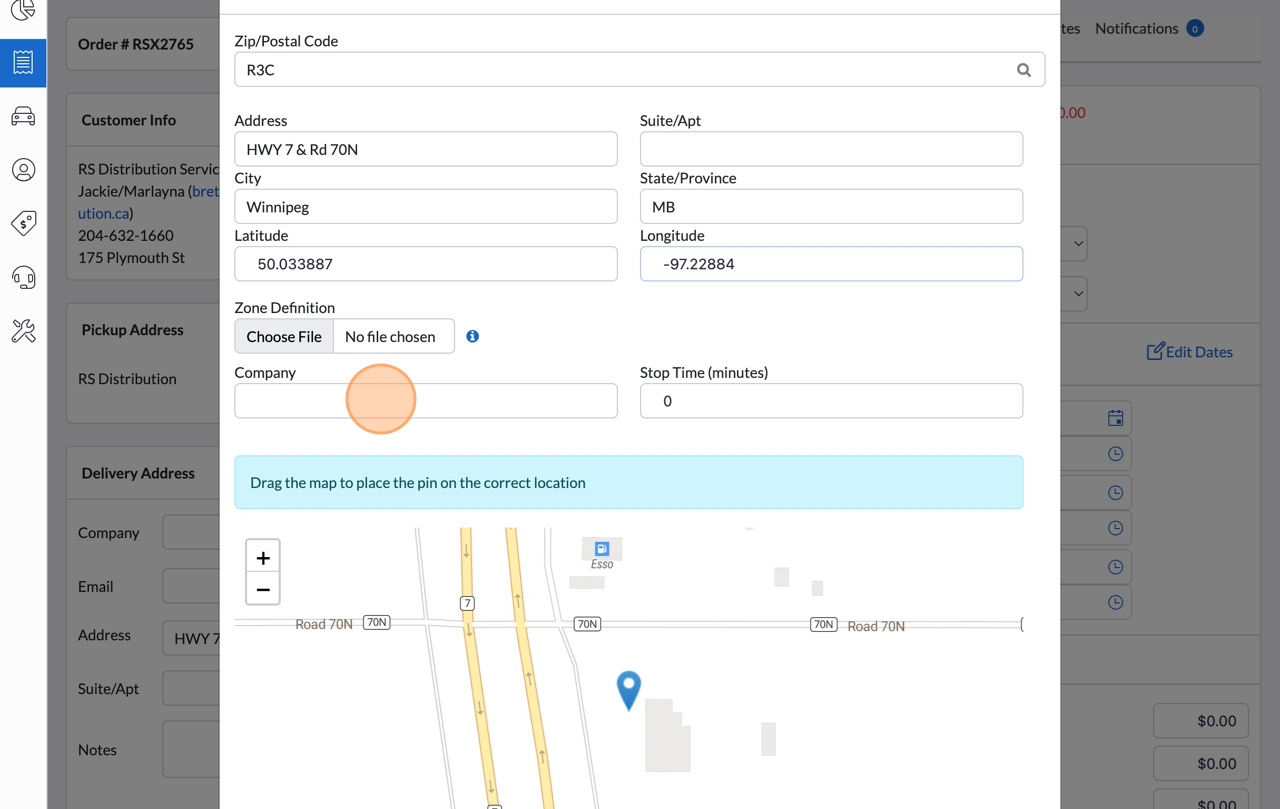
25. Click “Save”
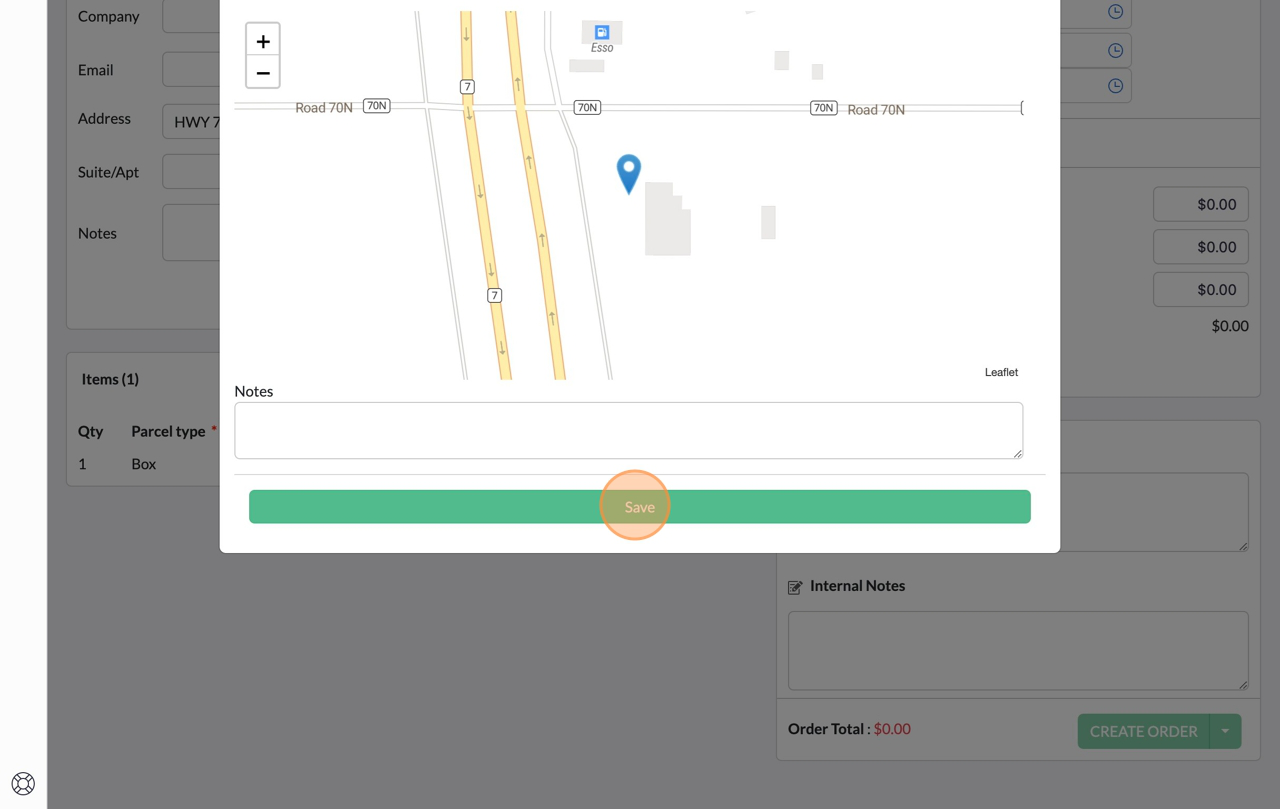
26. Click “Continue”
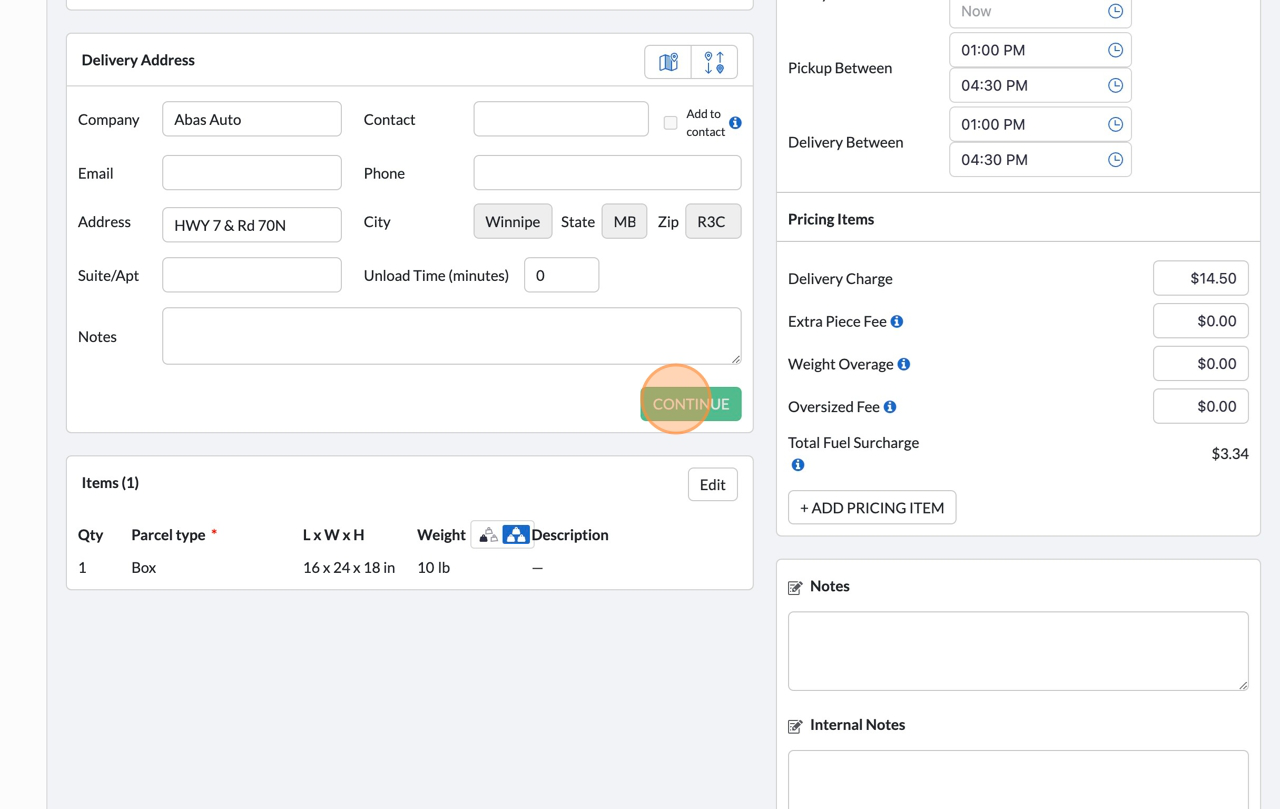
27. Done!
Our Commitment to ‘Delivering on your promises’
We believe that logistics is more than just moving goods—it’s about building trust and supporting our customers to ‘Deliver on your promises’. Our commitment is reflected in:
Transparent Communication
- Real-Time Tracking Solutions
- Safety-First Protocols
- Customer-Centric Problem Solving
We don’t just offer transportation and warehousing solutions —we strive to offer peace of mind knowing your inventory and goods are safe with us.